Create and share your wish list
online for free

With the free WishOf.Me wishlist app,
you can collect your wishes and share them with friends and family.
Available in your browser and as an app for Android and iOS.

Create a wish list for free

All your wishes in one place with the WishOf.Me wishlist app

With WishOf.Me, you can create free online wishlists for yourself or others. Whether it’s a birthday, Christmas or a wedding, collect items from different shops or add your own ideas using text and images. Build a personal list of the things you really want.

Share your wishlist with friends and family via a link. They can view your wishes and reserve gifts without creating an account. Other gift-givers can see which items are already reserved, helping them avoid duplicate gifts.

Use WishOf.Me directly in your browser or as an app for Android and iOS. If you need inspiration, explore the built-in gift ideas collection for different occasions.

Create your personal wishlist

Once you’ve registered for free, you can create wishlists for yourself or others. Make separate lists for birthdays, Christmas or weddings and arrange them in the order that works for you.

Personalization

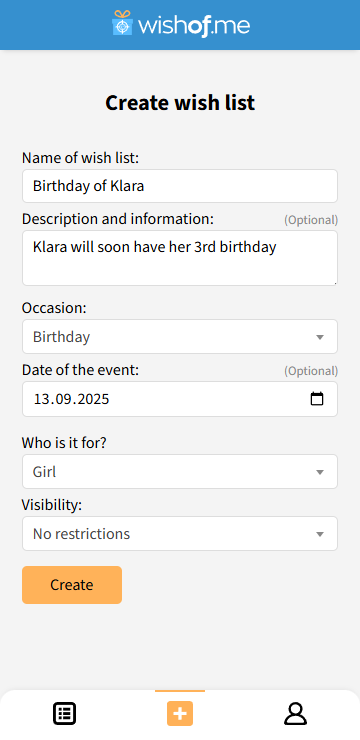
Give your wishlist a name. If you like, assign an occasion and a person to it. This helps you keep your own wishlist separate from those you create for your loved ones.

Privacy

Private wishlists are only visible to you when you are logged in. They do not appear in your publicly accessible wishlist overview. Others cannot access them, even with a direct link.

Anyone with the link can view shared wishlists without logging in. You can make a list private again at any time to prevent others from accessing it.

Create a personal wishlistOverview of added wishlistsCreate a personal wishlist

Add products and your own wishes

Collect products from different shops and your own ideas in your wishlist. There are several ways to add wishes:

  • Paste a product link from an online shop
  • Use the built-in product search
  • Create your own wish with text and an image
  • Take a photo using the camera in the app
  • Choose from the built-in gift ideas collection

Product details

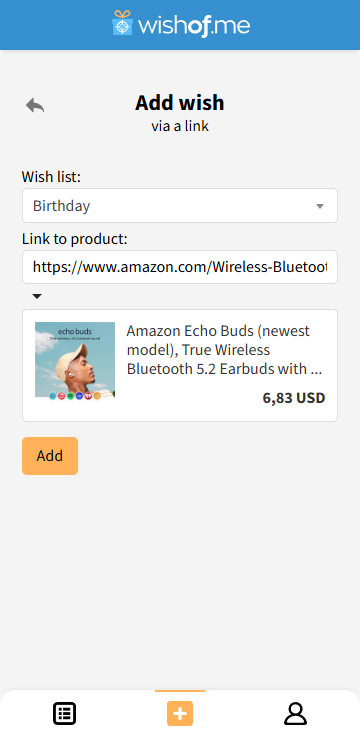
When you add a product link, WishOf.Me imports available details such as the title, price and product image, depending on the shop. This saves you entering them manually

Price updates

WishOf.Me regularly checks supported products for price changes, helping you keep track of price drops.

Choose how you want to add a wishSave a product link to a wishlistFind what you're looking for via the product search and save it to a wish list.Choose how you want to add a wish

Share your wishlist with friends and family

Send a link to your wishlist via WhatsApp, Telegram or email, for example. Friends and family can view your wishes and reserve gifts without creating an account.

Share from the app

Use the app’s sharing feature to choose an available messaging app or another app on your smartphone. Then send your wishlist link directly.

Share wish list with friends and family.

Reserve gifts and avoid duplicate presents

Friends and family can reserve individual wishes on your wishlist. This lets other gift-givers see which gifts someone is already planning to give.

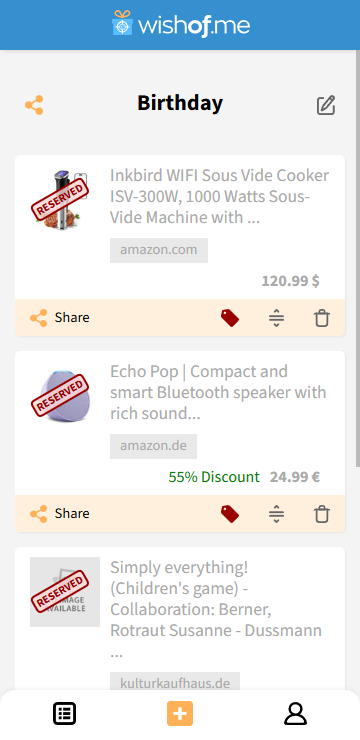
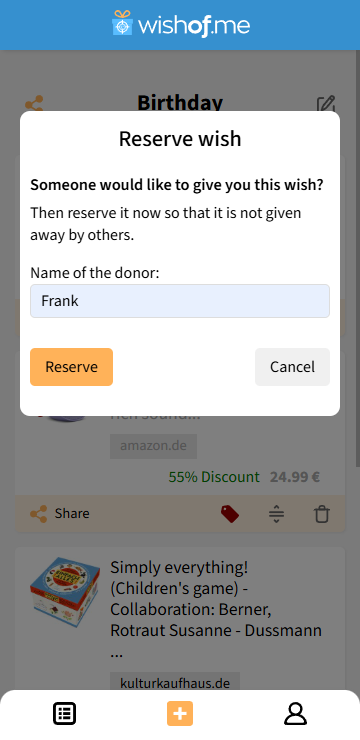
Anyone reserving a wish can optionally leave their name. Without a name, others can see that the wish is reserved, but not who reserved it. You can also see reservations on your own wishlist.

Notifications

WishOf.Me notifies you by push notification or email when a wish is reserved or a reservation is cancelled.

Overview of reserved requests in a wish list.This is how a wish is reserved from a wish list.Overview of reserved requests in a wish list.

Discover gift ideas for your wishlist

Explore the built-in gift ideas collection for inspiration for your own wishes or gifts for others. Add ideas you like directly to your wishlist.

For different occasions

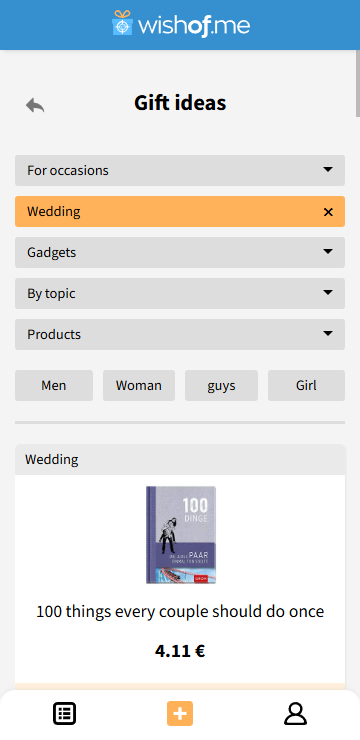
Discover gift ideas for birthdays, Christmas, weddings and other occasions. Filter the collection by occasion, category or gender.

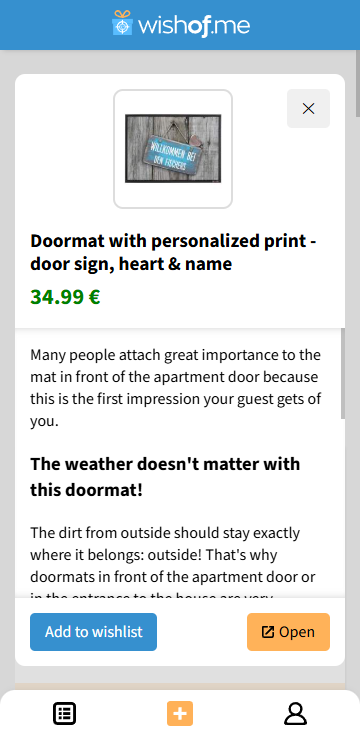
Overview of the gift idea pool.Detailed view of a product from the gift ideas pool.Overview of the gift idea pool.

Compare wishlist apps

Which wishlist app suits your needs?

Our comparisons explain how WishOf.Me and other providers differ when it comes to creating wishlists, sharing them and reserving gifts.

These comparisons are written by us, the team behind WishOf.Me.

Why WishOf.Me was created

WishOf.Me launched in 2024 to bring the traditional wishlist online. The project helps you organize your wishes, share them with others and avoid duplicate gifts.

Before birthdays, Christmas or other occasions, friends and family often ask what you would like. A digital wishlist lets you collect ideas throughout the year. Instead of suggesting different gifts to each person, you share one list. Reservations show which gifts someone is already planning to give.

You can also collect wishes for your child throughout the year and share the list with family and friends for upcoming occasions.

Frequently Asked Questions / FAQ

+

What is WishOf.Me?

WishOf.Me is a free wishlist app for browsers, Android and iOS. You can create online wishlists, collect products from different shops, add your own wishes and share your lists via a link. Friends and family can view wishes and reserve gifts without creating an account.

+

Is WishOf.Me free?

Yes, WishOf.Me is free to use in your browser and as an app for Android and iOS.

+

Do I need to download the app?

No, you can create and manage your wishlists directly in your browser. An app is also available for Android and iOS.

+

Do I need an account for my wishlist?

You need a free WishOf.Me account to create and manage wishlists. Friends and family can view your shared wishlist and reserve gifts without creating an account.

+

Who can see my wishlists?

Only you can view private wishlists when you are logged in. Others can open shared lists without logging in, using their link or your public wishlist overview. Private lists remain hidden from that overview. You can change the visibility of each list at any time.

+

Will my wishlists appear in search engines?

WishOf.Me marks wishlist pages with noindex, nofollow. These directives tell search engines not to include the pages in search results or follow links on them. Shared lists are still accessible to people who have their link.

+

How do I create a wishlist?

Register for free with WishOf.Me and create a wishlist. Give it a name and optionally assign an occasion or a person to it. Then start adding your wishes.

+

What can I add to my wishlist?

Add products using shop links or the built-in product search. You can also add your own ideas with text and images. In the app, you can take photos using the camera. You can add items directly from the built-in gift ideas collection.

+

Can I collect products from different shops?

Yes, you can collect product links from different online shops in the same wishlist. The details WishOf.Me imports automatically depend on the shop.

+

How do I share my wishlist?

Send your wishlist link via WhatsApp, Telegram or email, for example. In the app, you can also use your smartphone sharing feature.

+

How do reservations help prevent duplicate gifts?

Friends and family can reserve individual wishes on your wishlist. Other gift-givers can then see that someone is planning to give that gift. A reservation does not mean the gift has already been purchased.

+

Can I see who reserved a wish?

You and other visitors to your shared wishlist can see reservations. Anyone reserving a wish can optionally leave their name. Without a name, you can see that the wish has been reserved, but not who reserved it.

+

Will I receive reservation notifications?

WishOf.Me notifies you by push notification or email when a wish is reserved or a reservation is cancelled.

+

Can I create multiple wishlists?

Yes, you can create multiple wishlists, for example for birthdays, Christmas or weddings. You can also create lists for other people.

+

Can I change the order of my wishes?

Yes, you can rearrange your wishes using drag and drop and move your most important wishes to the top.

+

Can I create a wishlist for my child?

Yes, you can create a wishlist for your child, add wishes and share the list with friends and family, for example for a birthday or Christmas.

+

How do price updates work?

WishOf.Me regularly checks supported products for price changes and notifies you of price drops. Availability depends on the product and the shop.